Cliffhanger English · Reader’s guide
How to read a Cliffhanger
A story in easy English where you choose what happens. Here are the seven basic moves, with a picture of each screen. Reading this takes about three minutes.
At a glance
| You want to… | Do this |
|---|---|
| Start the story | In the library, tap OPEN THE BOOK, then START READING. |
| Find my level | Tap the words you don’t know on a short page, then SUBMIT. |
| Go to the next page | Swipe left, or tap NEXT PAGE. |
| Go back a page | Swipe right, or tap Back at the top. |
| Know what a word means | Tap the word once. |
| Keep a word | Tap the word, then + Save to my words. |
| Hear the page | Tap ▶ Listen. Tap Stop to pause. |
| Make the story easier or harder | Menu, then Your story, then Level. |
| Try a different choice | At an ending, tap Back to your last choice. |
| See my saved words | Menu, then Your words. |
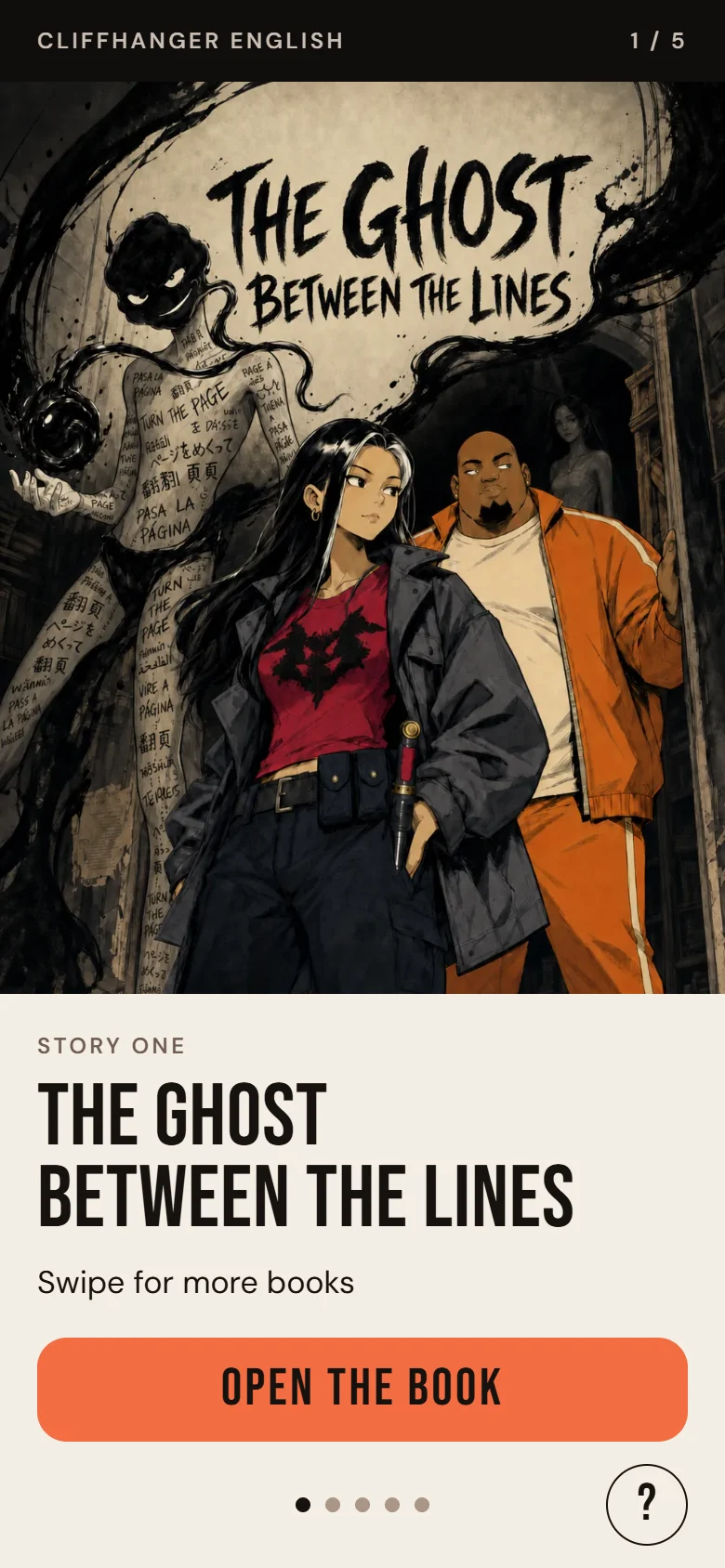
Move 1: Open the book
The library shows one book at a time. Story One is ready to read.
- Tap OPEN THE BOOK, then START READING.
- Swipe left to see what comes next: books two to five are COMING SOON.
- Coming back later? You will see CONTINUE, with your level, and START AGAIN.
Tip: The round ? at the bottom of the library opens Help.
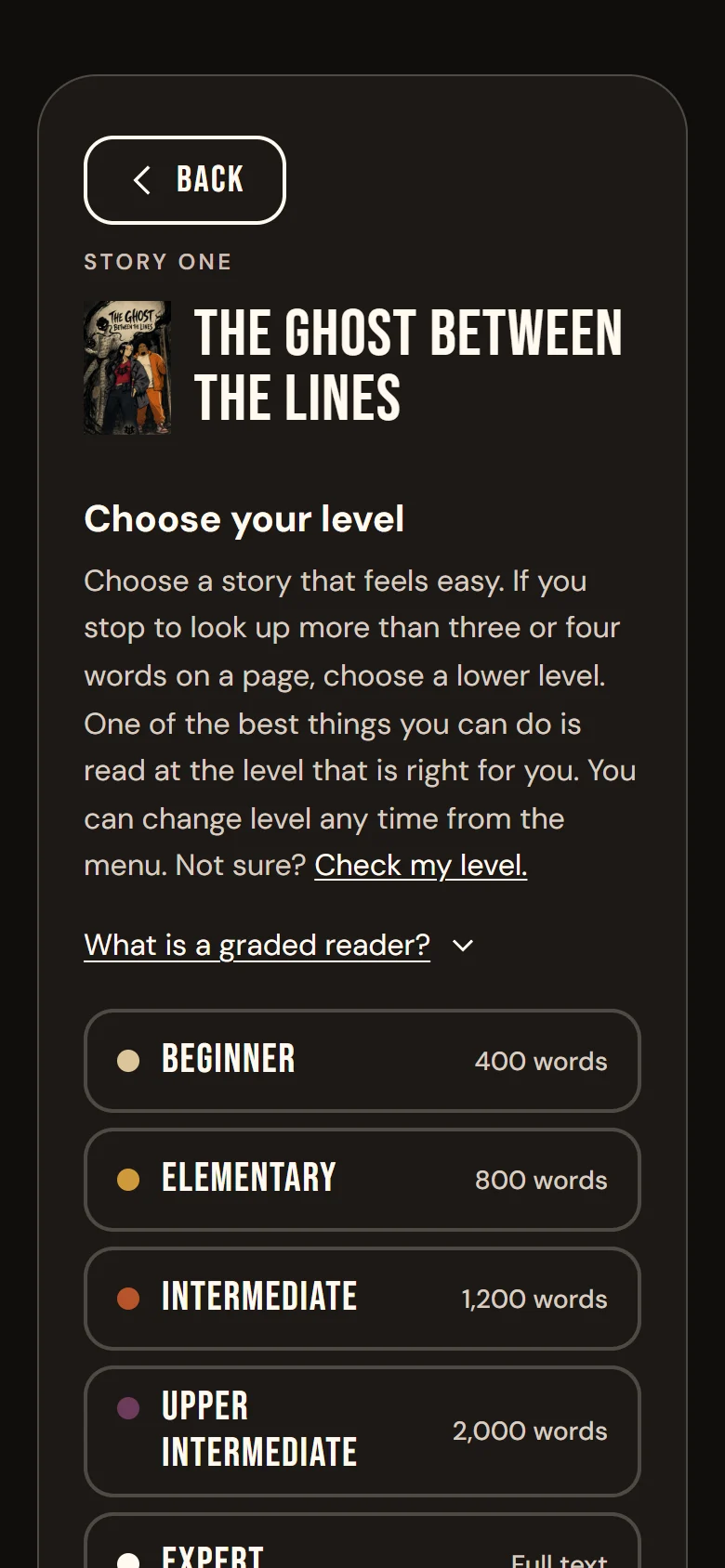
Move 2: Find your level
The first time, the app helps you choose a level. Read a short page and tap each word you don’t know. Then tap SUBMIT.
- 0–1 words: too easy. 2–3: just right. 4: a challenge. 5: too hard.
- The app suggests a level. You can try the next one, or check again.
- Prefer to choose? Tap SKIP TO THE STORY. Levels go from Beginner (400 words) to Expert (the full text).
Tip: Change your level any time: menu, then Your story, then Level. You stay on the same page. Only the words change.
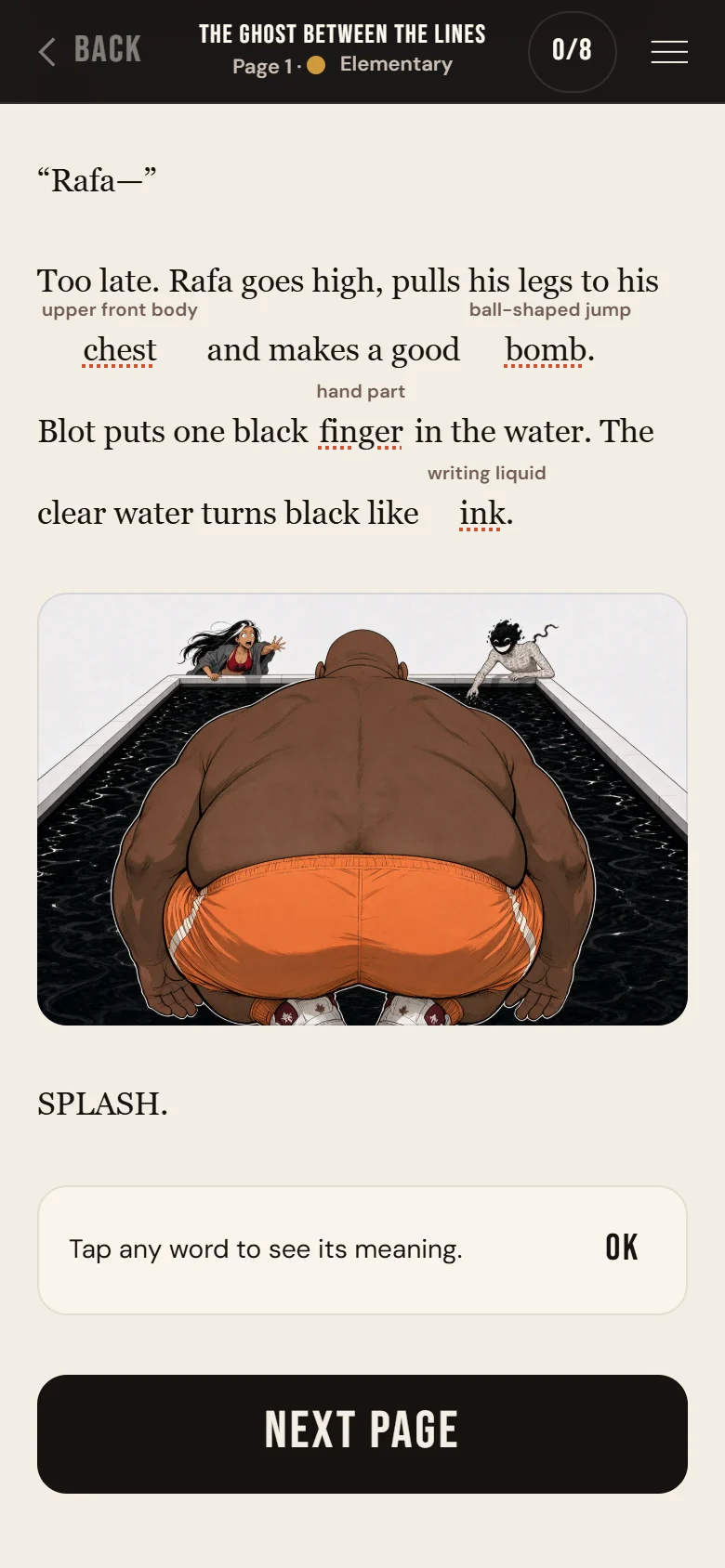
Move 3: Turn the page
Each page is a short part of the story.
- Next page: swipe left, or tap NEXT PAGE at the bottom.
- Back a page: swipe right, or tap Back at the top.
- Tapping the words never turns the page, so you can tap words without fear.
Tip: On a computer, use the ← and → keys.
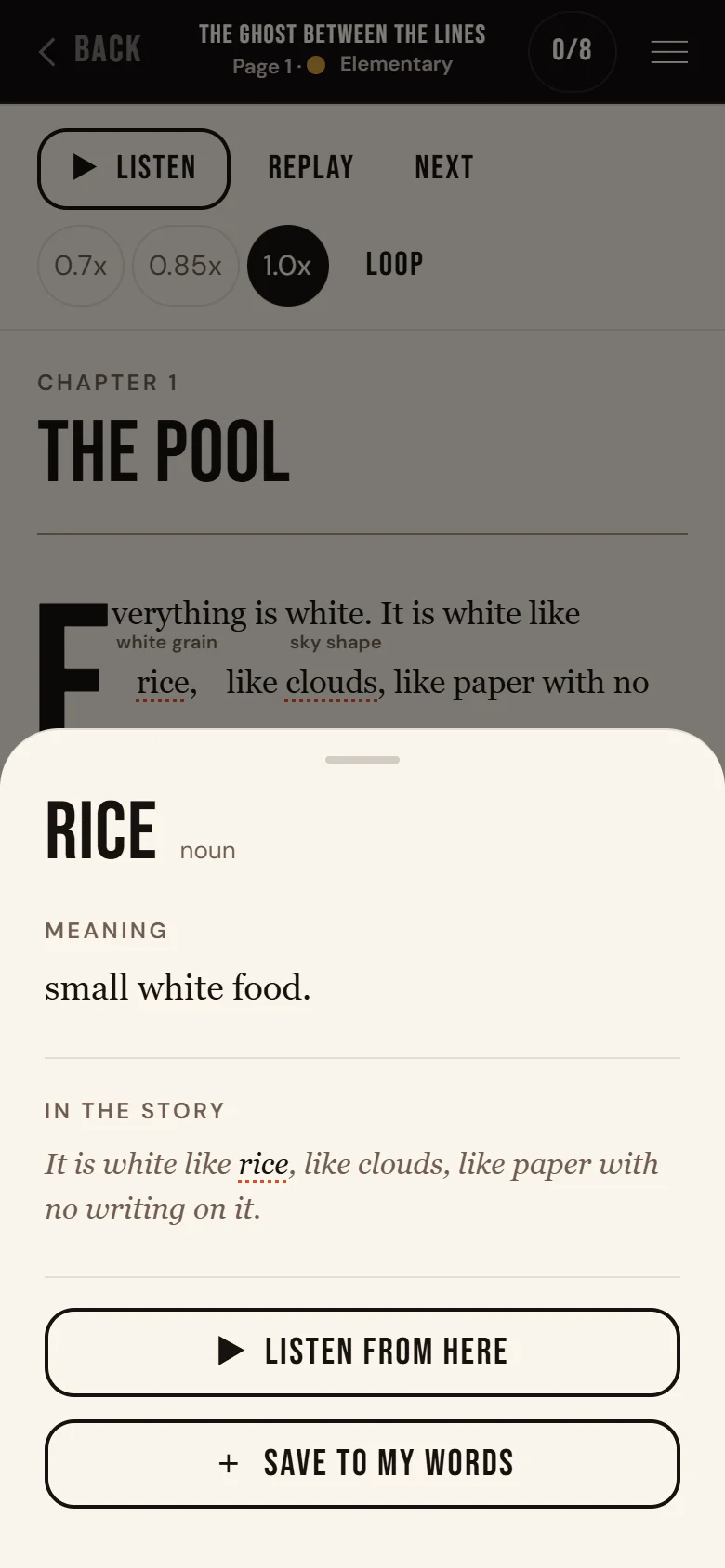
Move 4: Tap any word
Tap a word once to see what it means. A card opens at the bottom of the screen.
- The card shows the meaning and the line from the story. Some words also show similar words.
- Tap + Save to my words to keep it. Nothing saves by itself.
- On a page that is read aloud, tap ▶ Listen from here to hear the page from that word.
Tip: Small English hints above hard words help too. Turn them off in the menu: Reading, then Hints.
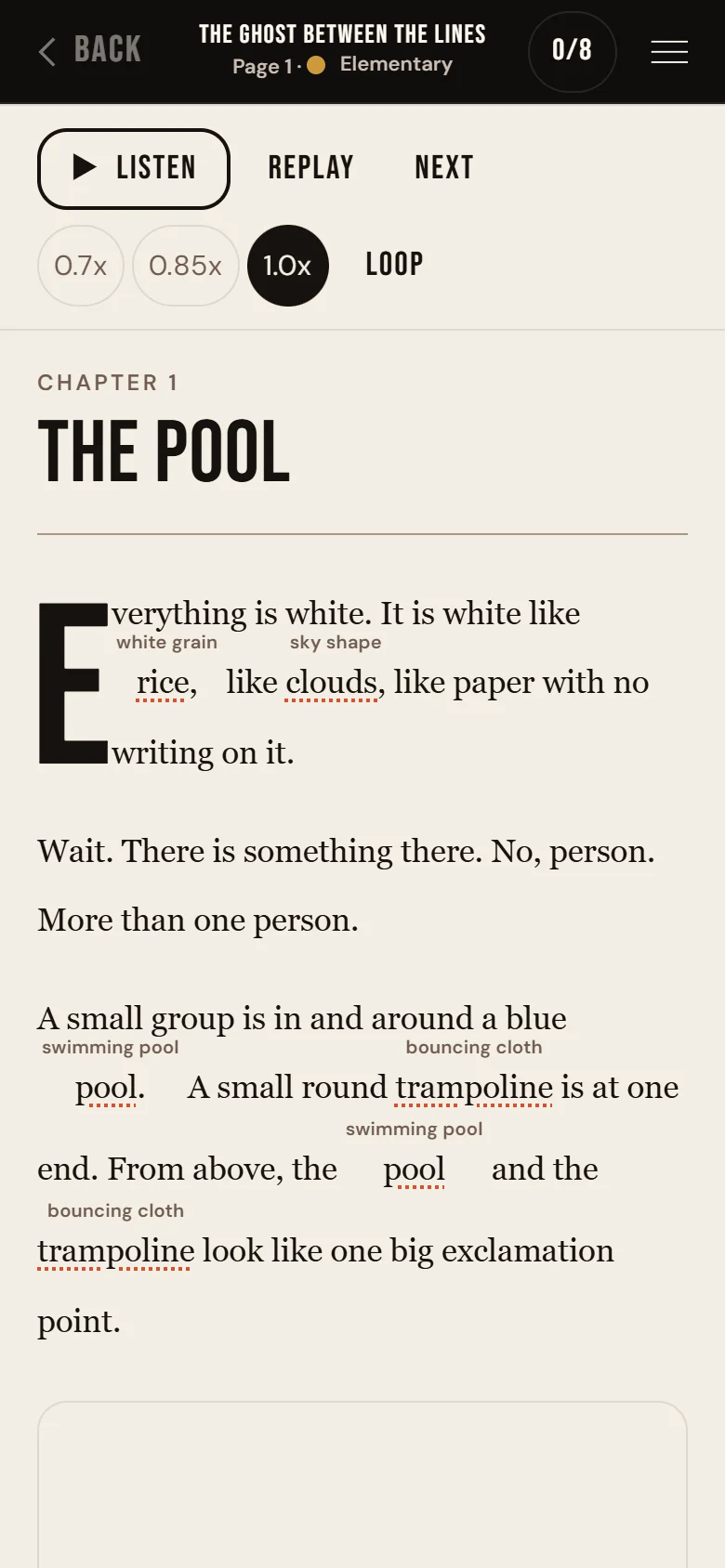
Move 5: Listen
Pages that are read aloud have a ▶ Listen button.
- Tap ▶ Listen to hear the page. Tap Stop to pause.
- On some pages you can REPLAY a sentence, go to the NEXT one, slow it down with 0.7x or 0.85x, or LOOP it.
- Turn the page sounds on or off in the menu: Reading, then Sounds.
Tip: Listen first, then read. Or read while you listen. Both help.
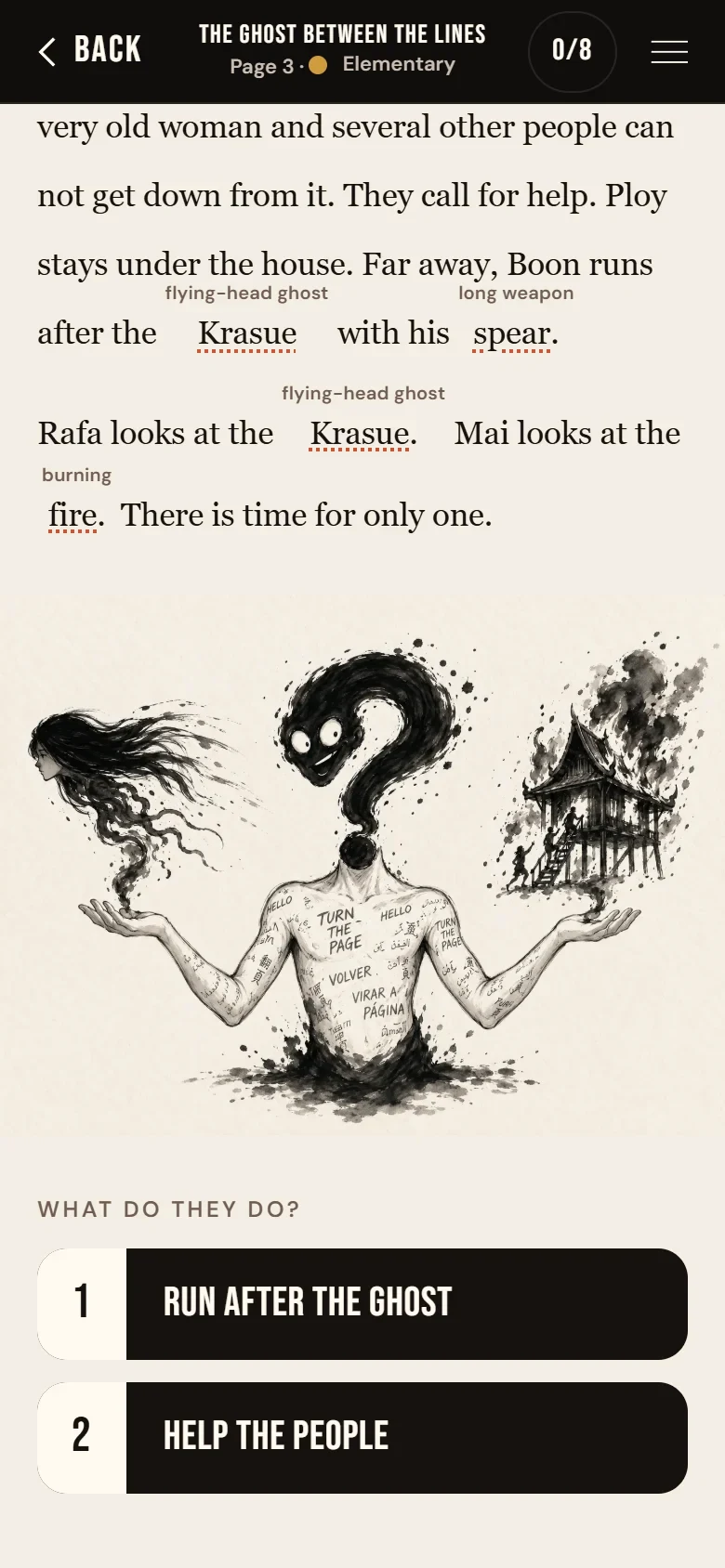
Move 6: Choose what happens
At the end of some pages, the story asks you what to do.
- Tap one choice. The story goes that way.
- There is no wrong answer. Each choice is a different door.
- You can always come back and choose again.
Tip: Not sure? Read the page again, or tap the words you don’t know first.
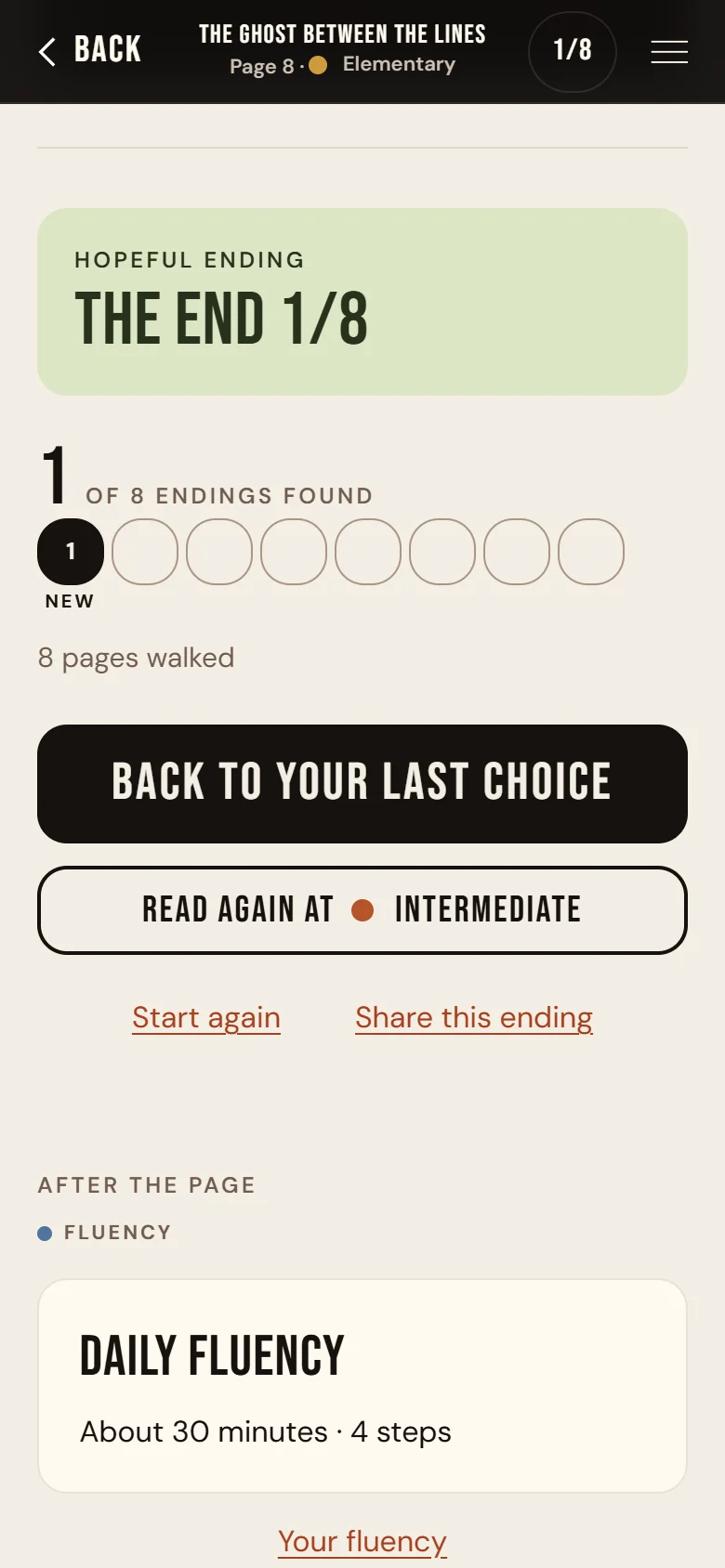
Move 7: Find all eight endings
The story has eight endings. Some are happy. Some are not.
- Each ending shows how many you have found, how many pages you walked and how many words you met.
- Tap Back to your last choice to open the other door.
- Find all eight, and the big button changes to READ AGAIN AT the next level.
Tip: Some endings have a short film. Tap Watch the ending to play it.
Make it yours
Tap the menu at the top of any story page, then the Reading tab.
- TextMake the story easier to see.
- SpacingMore space between the lines.
- ThemeNight is dark, for reading in bed.
- HintsSmall English hints above hard words.
- Minutes a dayHow long you want to read each day.
- MotionLess movement on the screen.
- SoundsThe page sounds in the story.
Good to know
Your progress lives on this phone
There is no account and no password. Your place, your saved words and your endings stay in this browser, on this phone. Clearing your browser data, reading in a private window, or opening the story on another phone starts you again from the beginning.
Add Cliffhanger to your Home Screen. It opens like an app, always in the same browser.
Unlocked the story? Your pass is safe. On a new phone or browser, tap Restore and type the same email as before.
Stuck?
Tap the round ? in the library for answers and the five short videos.
Open Help